What a stranger sees on your Philos link
Your name and photo. Nothing else. Here's the page someone sees when they open your link before you've added each other.



In short
- Your link shows your name, your photo and your username. Nothing you share is behind it.
- You see each other only once you've both added each other.
- Your number is never shown to someone you haven't added.
Your Philos link is how you invite people who aren’t in your contacts: the friend you met on holiday, the cousin who changed numbers. It’s safe to share, because there’s almost nothing on it.
What the page shows
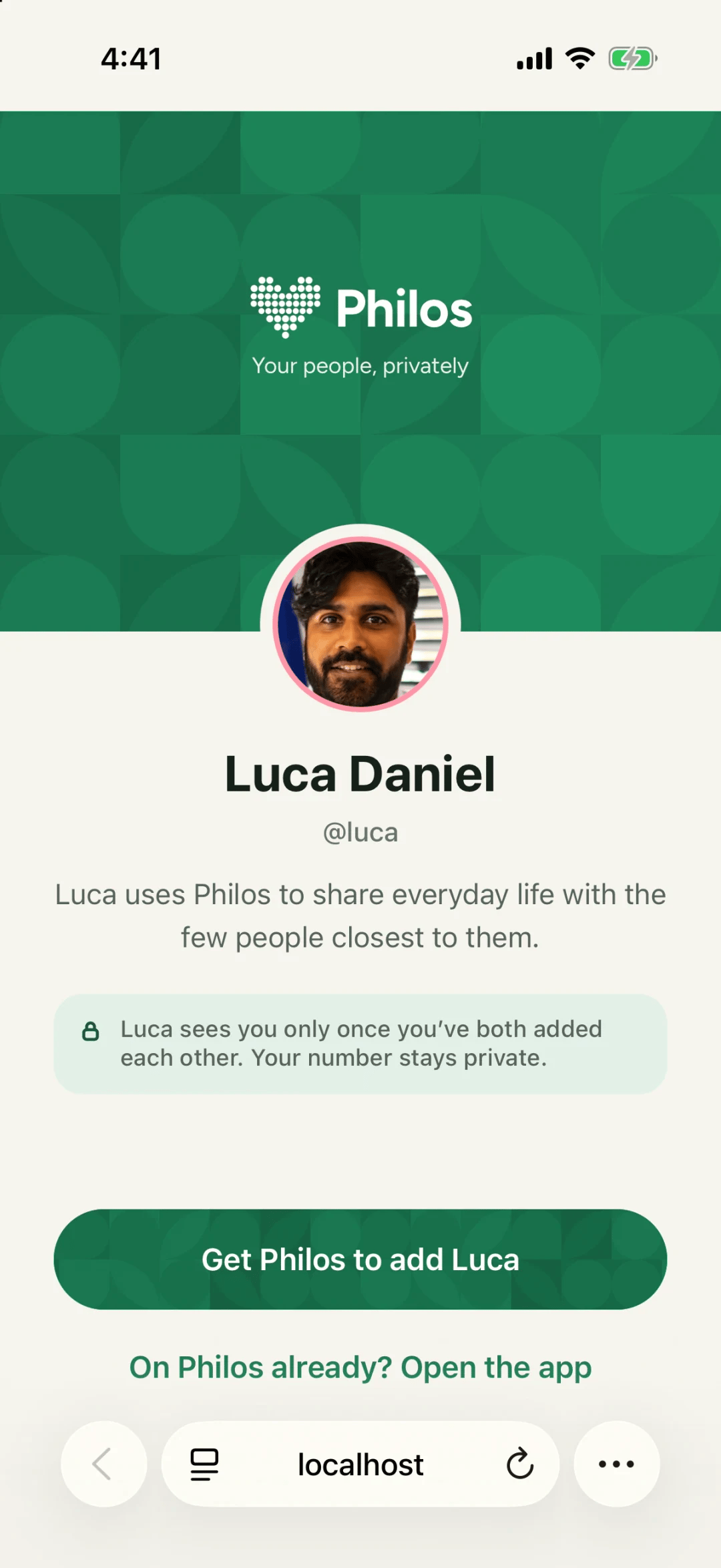
Someone who opens your link sees:
- Your name, your photo and your username.
- One line: that you use Philos to share everyday life with the few people closest to you.
- A note that you’ll see each other only once you’ve both added each other.
- A button to get Philos and add you.
What it never shows
Seeing each other takes two
Opening your link doesn’t put anyone in your space. You each have to add the other. Until you both have, neither of you sees anything the other shares. Contacts only help you find your people, and Philos never messages anyone for you.
Questions people ask
Can someone see my posts from my link?
No. Your link shows only your name and photo. Nothing you share is behind it.
Who can see my phone number?
Your connections, because they added you with it. It's never shown to someone you haven't added.