Why there's no forward button
Only you choose who sees what you share, so nothing on Philos can be passed on. Here's why we left the button out, and what it can't stop.



In short
- Philos has no forward or repost button. Only you choose who sees what you share.
- The people you share with can't see who else it went to.
- No app can stop a screenshot, so share with people you trust. That's what the 49 places are for.
In most apps, anything you send can be passed on with a tap. A photo you sent to your sister can reach her group of school mums by lunchtime, then their families by dinner. Nobody meant any harm. The button was just there.
Who decides who sees it
On Philos, you decide who sees a post when you share it, and nobody can widen that circle for you. There’s no forward button, no repost and no share button on a post.
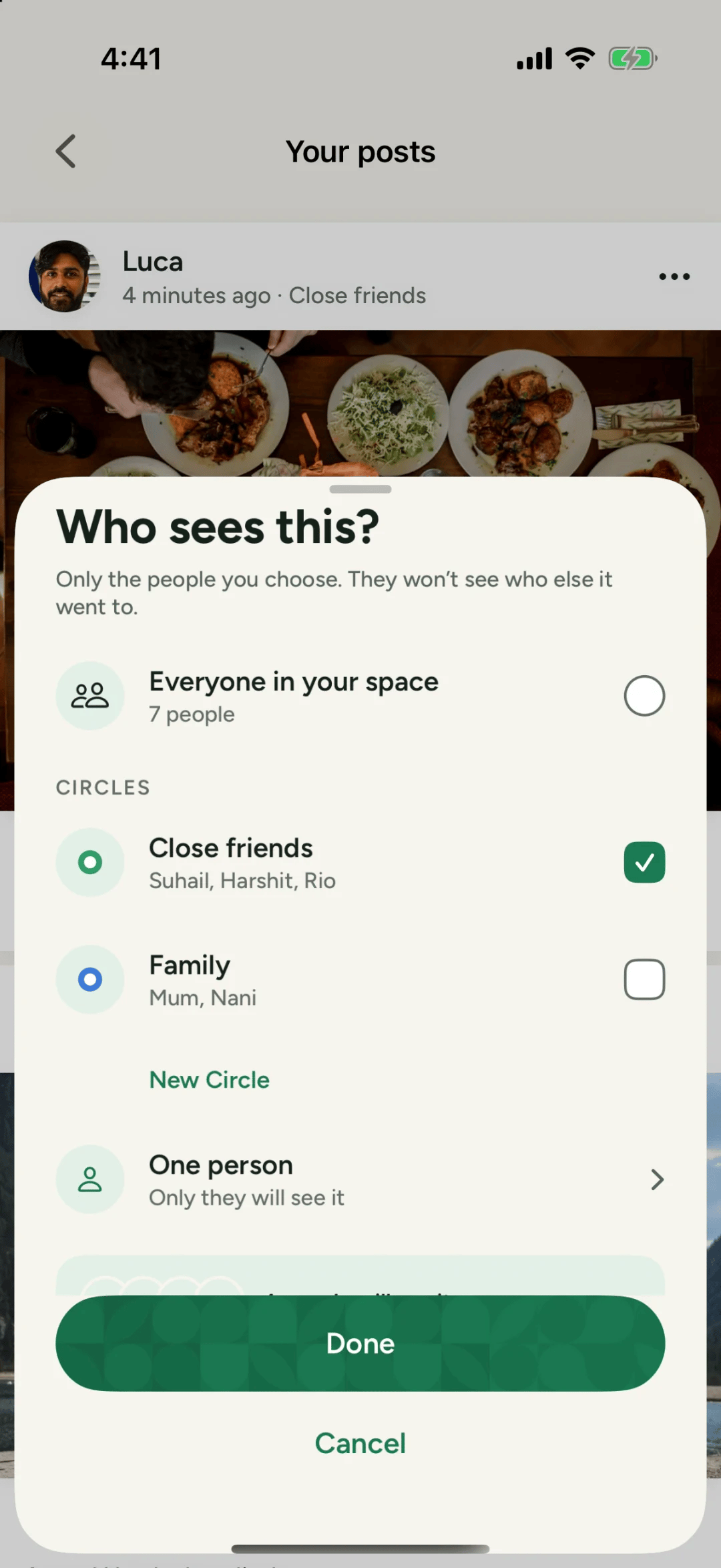
You can pick everyone in your space, a Circle like Family or Close friends, or one person. The people you pick see it. Nobody else does, and nobody can pass it on inside the app.
What we can’t stop
We’d rather be honest about this. No app can stop someone pointing another phone at the screen, or taking a screenshot. Philos is built for the people you trust, which is why it holds 49 of them and not 5,000.
The safest way to share a photo is to share it with fewer, better people.
Why it matters
A photo that’s forwarded doesn’t come back. It sits in galleries and group chats you’ll never see, long after the moment has passed. Leaving the button out means your photos stay where you put them, and you can still take them back.
Questions people ask
Can someone share my post with people outside my Circle?
Not inside Philos. There's no forward, repost or share button on a post. They could still take a screenshot, which no app can prevent.
Can people see who else I shared a post with?
No. Who sees this? says it plainly. Only the people you choose see it, and they won't see who else it went to.