Sharing a new baby, privately
Share every first with the people who'd frame it, not with the internet. A step-by-step guide to posting baby photos on Philos.



In short
- Share the first photo with your Family Circle, so only they see it.
- Widen it later with Change who sees it. Check who gains access before you save. No one is told.
- Delete a post and it's gone for everyone, so the photo stays yours to take back.
A new baby makes you want to tell the world. Then you think about where that first photo will be in five years, and the world starts to look a lot smaller: Mum, Nani, a few friends.
Here’s how to share those first photos on Philos, step by step. The screens below are from the app, with an example family.
Start with the people who’d frame it
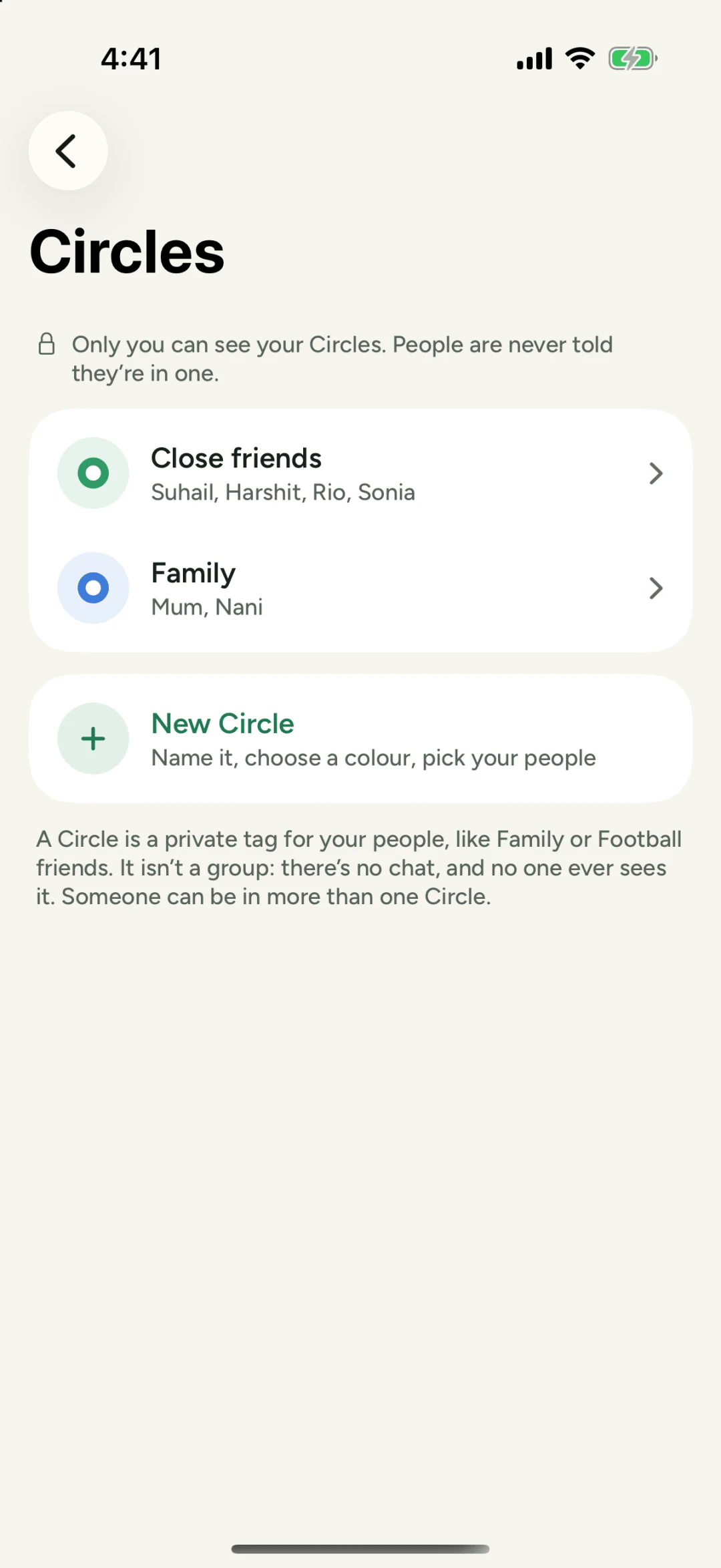
The first people most of us want to show are family. Put them in a Family Circle, then post the photo, open Who sees this?, tick Family and tap Done.
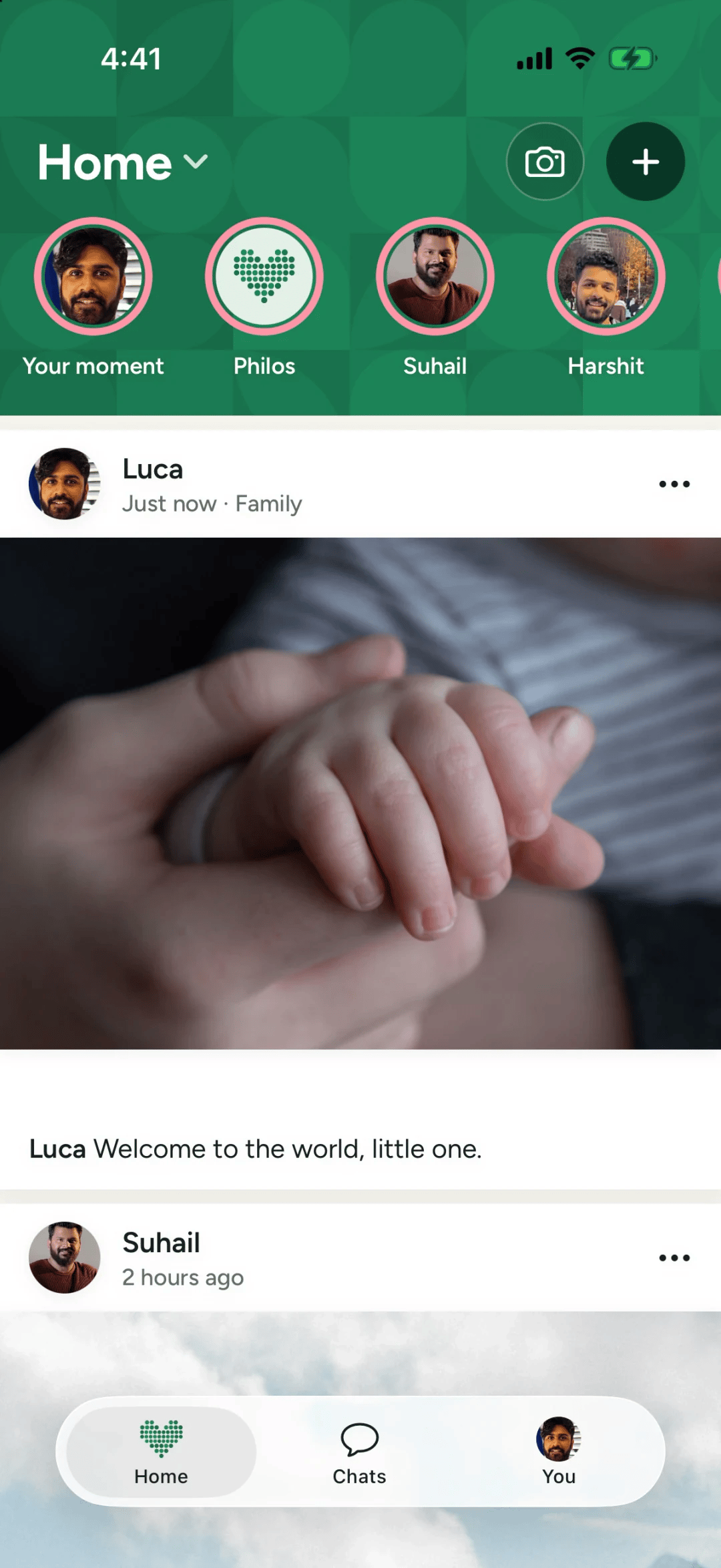
When they respond, you see their names on the post: Mum and Nani responded. Names, not a count.
Widen it when you’re ready
A week later you might want your close friends to see the baby too. You don’t need to post again. Open the post’s menu, choose Change who sees it, and add Close friends.
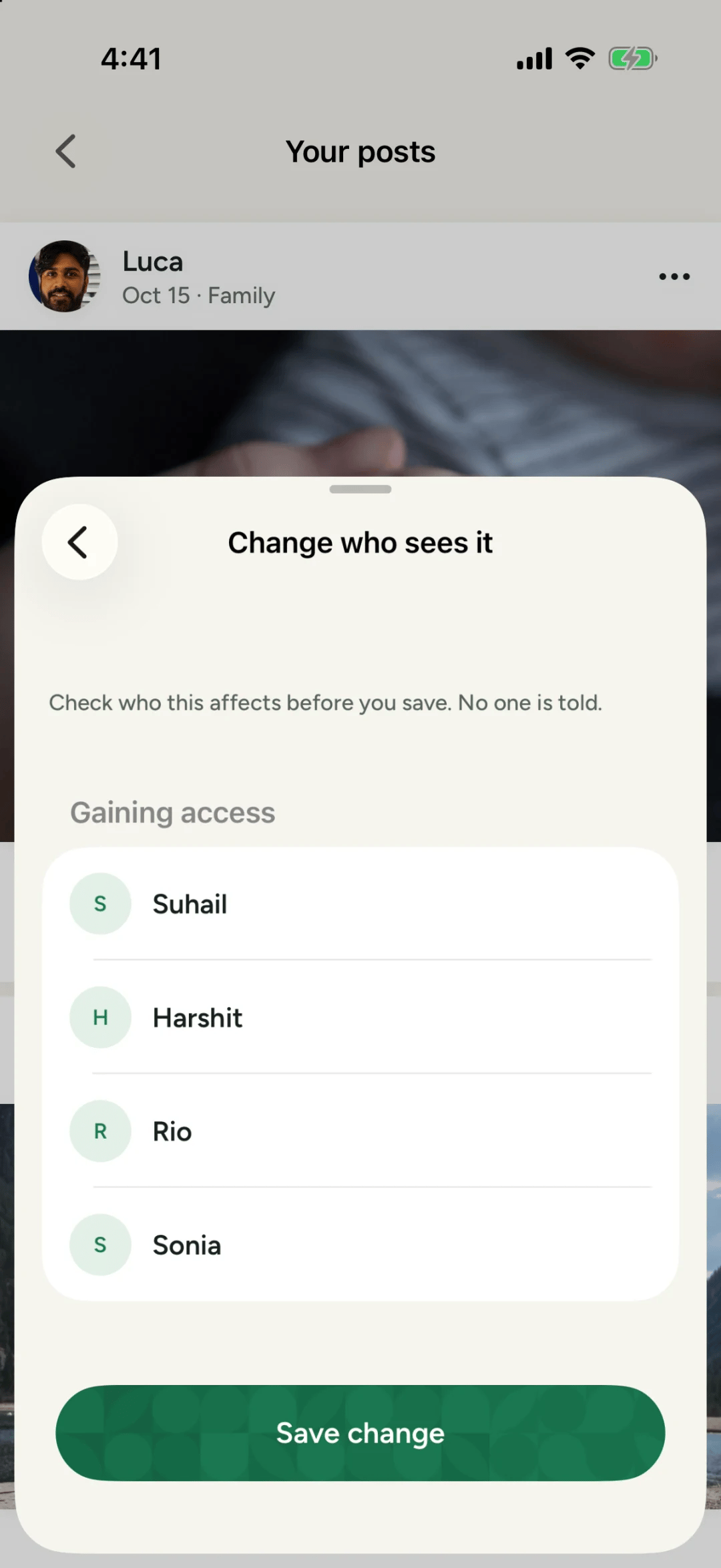
Philos shows exactly who will gain access before you save. Nobody gets a notification that they’ve been added, and Mum and Nani aren’t told either.
Keep it yours
Why not post it publicly?
A photo posted publicly can be copied, saved and scraped by people and tools you’ll never meet. Human Rights Watch has found real children’s photos in data used to train AI tools, and it warns that once a model has learned from a photo, it can’t forget it. Your child can decide what to share about themselves one day. Until then, their photos can stay with the people who love them.
Questions people ask
Who can see a photo I share with my Family Circle?
Only the people in that Circle. They won't see who else it went to, and there's no button to pass it on.
Can I add more people to a post later?
Yes. Open the post's menu, choose Change who sees it, and check who gains access before you save. No one is told.
Sources
- Australia: Children's Personal Photos Misused to Power AI Tools, Human Rights Watch, 2 Jul 2024