Setting up a Family Circle
Mum and Dad at home, your sister abroad, Nani on her tablet. Here's how to make a Family Circle in Philos and share with just them.



In short
- A Circle is a private tag for some of your people, like Family. Only you can see it.
- Make one from Circles, or straight from Who sees this? when you share.
- People are never told they're in a Circle, and someone can be in more than one.
Some moments are for family: the new baby’s first bath, Dad’s surgery update, the photos from Nani’s birthday. A Family Circle lets you share those with just your family, in a couple of taps, every time.
What a Circle is (and isn’t)
A Circle is a private tag for some of the people in your space, like Family or Football friends.
Make your Family Circle
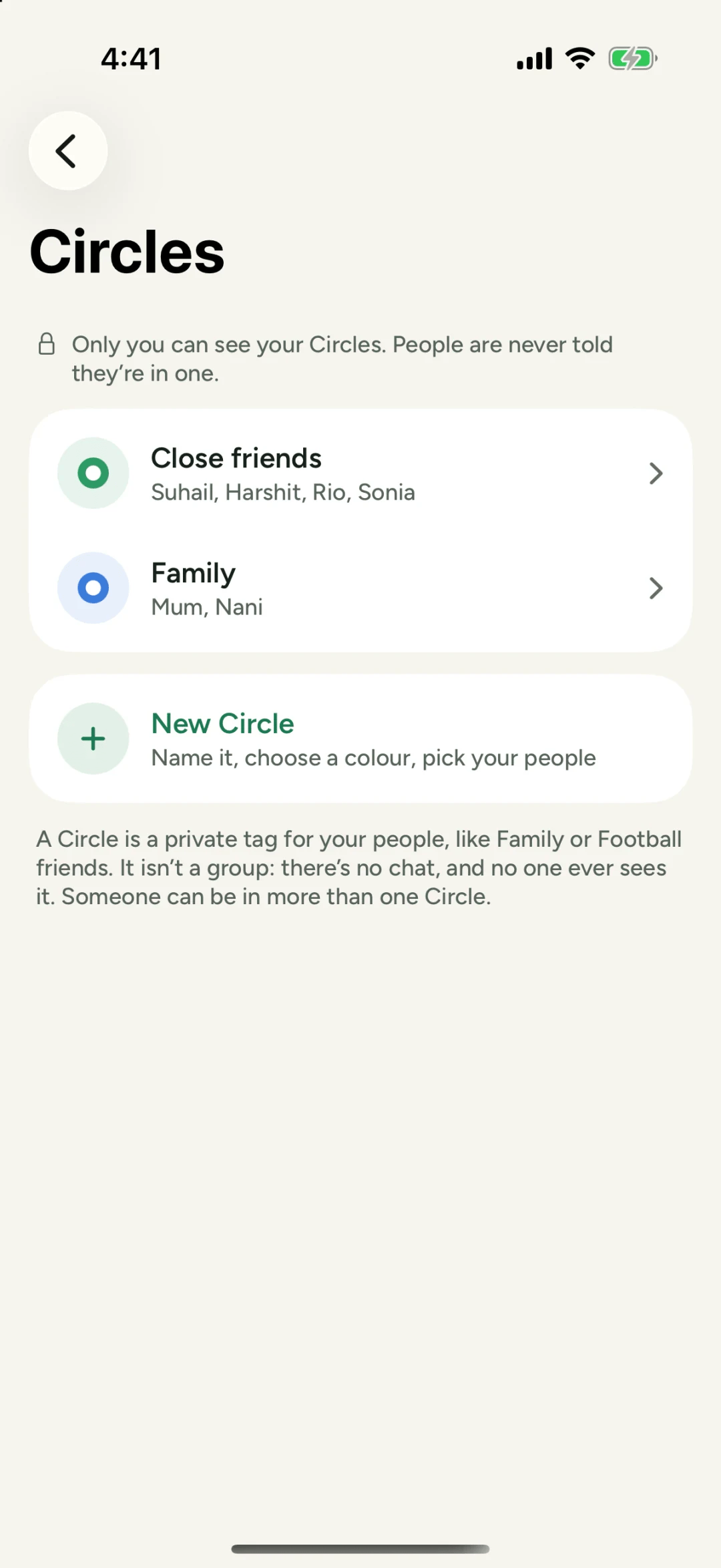
- Go to You and open Circles, then tap New Circle.
- Name it Family, and choose a colour so you’ll spot it at a glance.
- Pick your people: Mum, Dad, your sister, Nani.
You can also make a Circle in the middle of sharing. When you post, open Who sees this? and tap New Circle under your Circles.
Share with just your family
When you post a photo, open Who sees this? and tick Family. Only the people in your Family Circle will see it. They won’t see who else it went to, and nobody can pass it on.
Keep it up to date
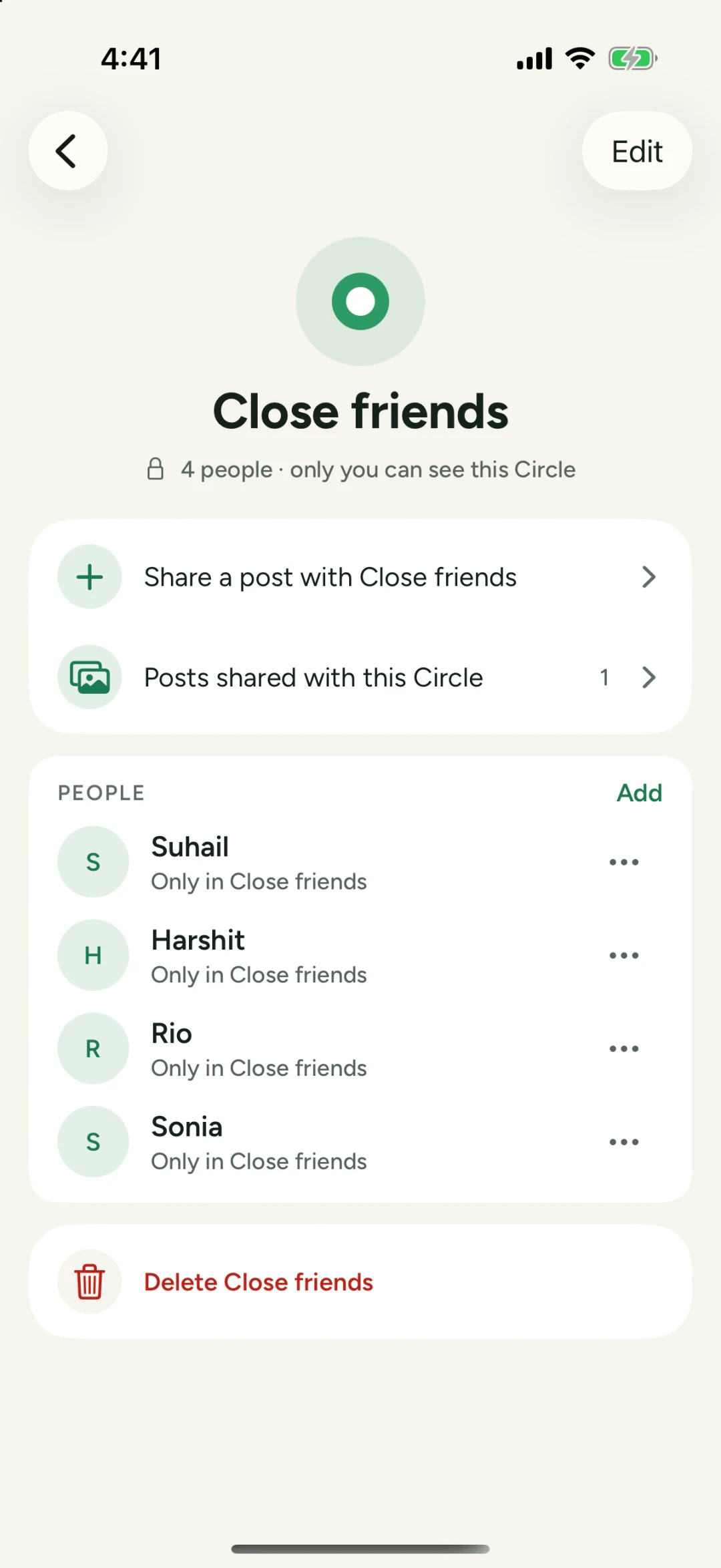
Families change. From your Circle’s page you can add someone, take someone out, or share a post with the whole Circle in one tap. If you take someone out, they aren’t told.
Questions people ask
Is a Circle a group chat?
No. A Circle is a private tag for your people. There's no chat, and no one ever sees it.
Will my family know they're in a Circle?
No. Only you can see your Circles, and people are never told they're in one.
Can someone be in more than one Circle?
Yes. Your sister can be in Family and in Close friends.