Choosing who sees each post

Everyone in your space, a Circle, or just one person. Here's how to pick who sees every post on Philos, and how to change your mind later.

· 2 min read

The Who sees this? sheet in the Philos app on a phone, on a mint background

In short

  • Every post and Moment goes only to the people you choose.
  • Pick everyone in your space, a Circle like Family or Close friends, or one person.
  • Change who sees it later from the post's menu. No one is told.
The Who sees this? sheet in the Philos app on a phone, on a mint background

On most apps, a post goes to everyone who follows you. On Philos, nothing goes anywhere until you decide who it’s for. That choice is the most important thing you’ll do in the app, so here’s how it works.

Open Who sees this?

When you share a post or a Moment, tap Who sees this?. You’ll see three kinds of choice.
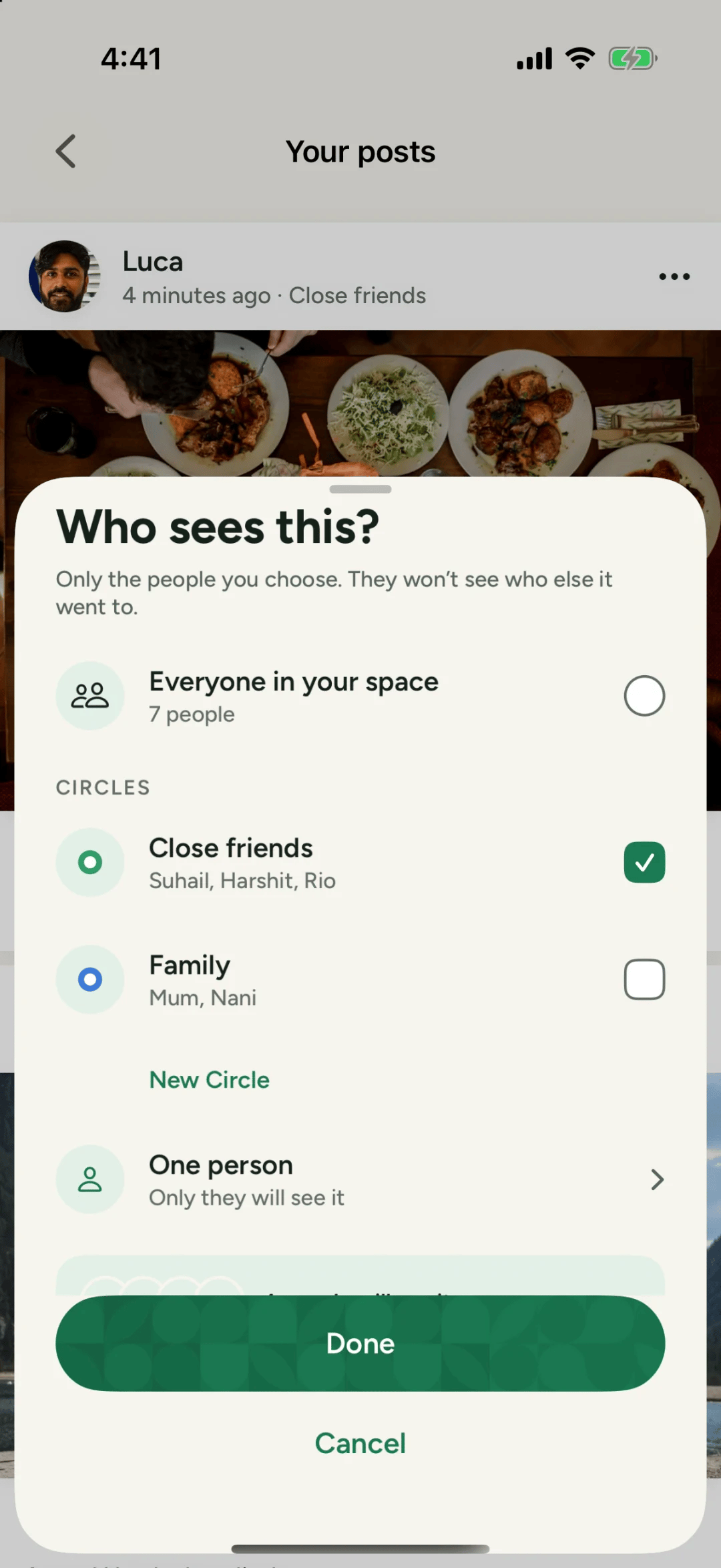
The Who sees this? sheet in Philos with Everyone in your space, Close friends, Family and One person
In the appOnly the people you choose. They won't see who else it went to.A real screen from Philos
  1. Everyone in your space: all the people you’ve added. On Philos that’s never more than 49.
  2. A Circle: a private tag for some of your people, like Family or Close friends. You can tick more than one.
  3. One person: only they will see it.

Tap Done, and that’s who sees it. Nobody else can, and nobody can pass it on.

Change your mind later

You can widen or narrow who sees a post after you’ve shared it. Open the post’s menu and choose Change who sees it. Philos lists who gains access and who loses it before you save.
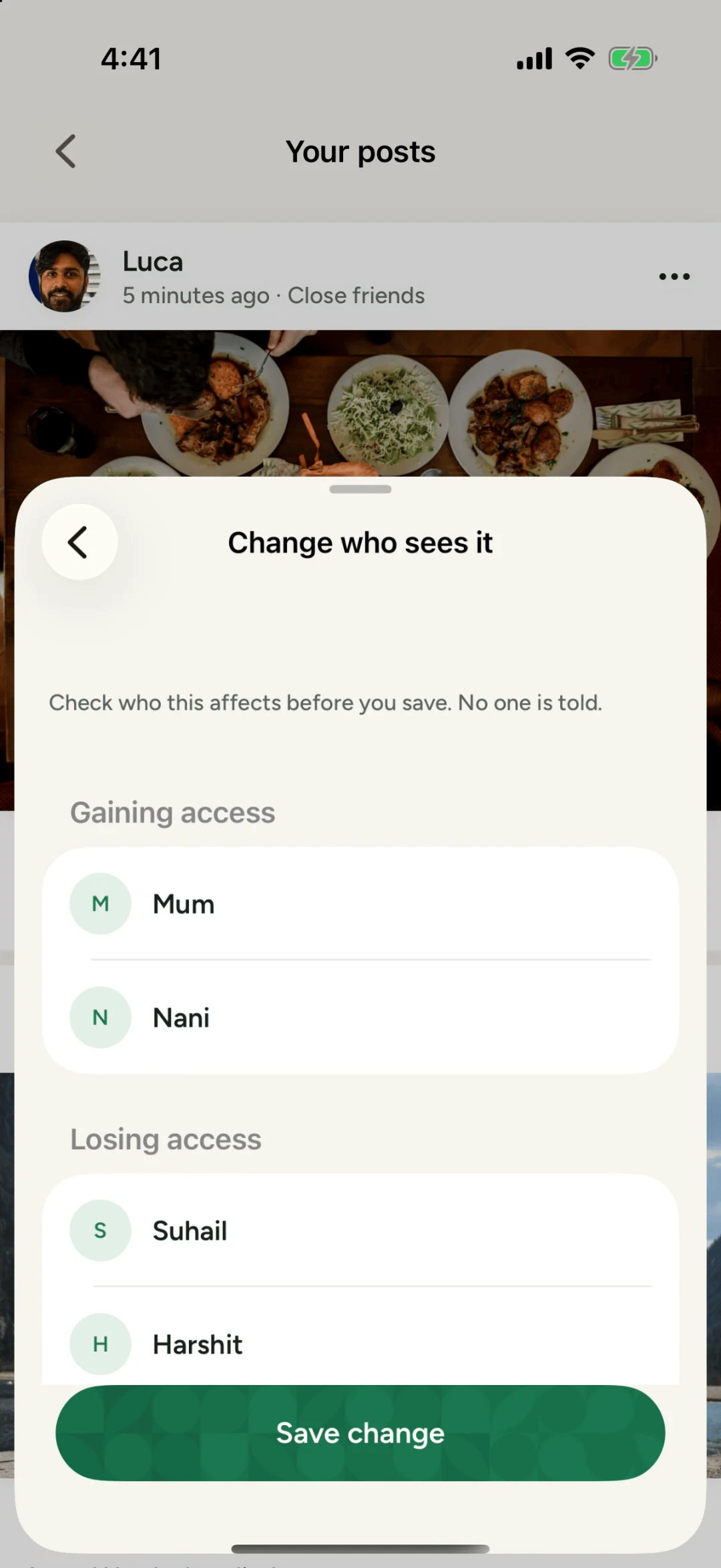
The Change who sees it screen in Philos showing who will gain access to a post
In the appCheck who this affects before you save. No one is told.A real screen from Philos

Questions people ask

Who can see what I share on Philos?

Only the people you pick. For every post and Moment you choose everyone in your space, a Circle like Close friends, or just a few people. Nothing on Philos is public, and someone you haven't added sees only your name and photo.

Do people know who else I shared a post with?

No. Only the people you choose see it, and they won't see who else it went to.

Filed underGuidesPrivacy

Send it to someone who’d like it.

Or post it

Written by

Suhail

One of the people who make Philos

Suhail writes the guides: how to set up Philos for the people you love, and what each setting does.

More from Suhail

Keep reading.

More in Guides
  • Guides

    Sharing a new baby, privately

    Share every first with the people who'd frame it, not with the internet. A step-by-step guide to posting baby photos on Philos.

    By Luca · 2 min read · 17 Oct 2026

  • A graduate wearing a laurel wreath, seen from behind
    Guides

    Tagging someone in a post: how tag requests work

    On Philos, nobody is tagged in a photo until they say yes. Here's how to tag someone, what they see, and how to accept, reject or remove a tag later.

    By Suhail · 2 min read · 10 Oct 2026

  • Guides

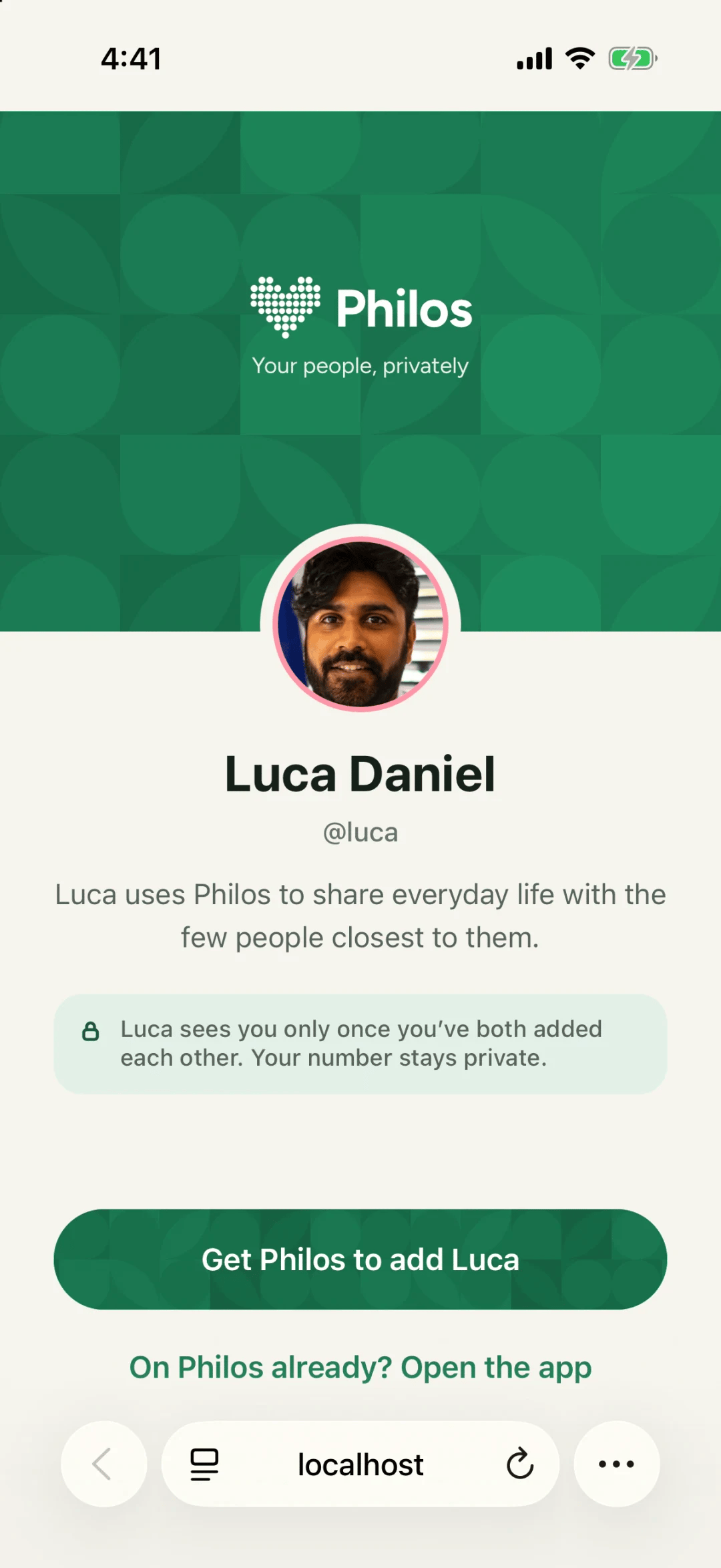
    What a stranger sees on your Philos link

    Your name and photo. Nothing else. Here's the page someone sees when they open your link before you've added each other.

    By Suhail · 1 min read · 5 Oct 2026

Your heart, ready to fill.

No ads, and your data is never sold. Scan the code with your iPhone camera to get Philos.

Get Philos

Scan, or download it here.